
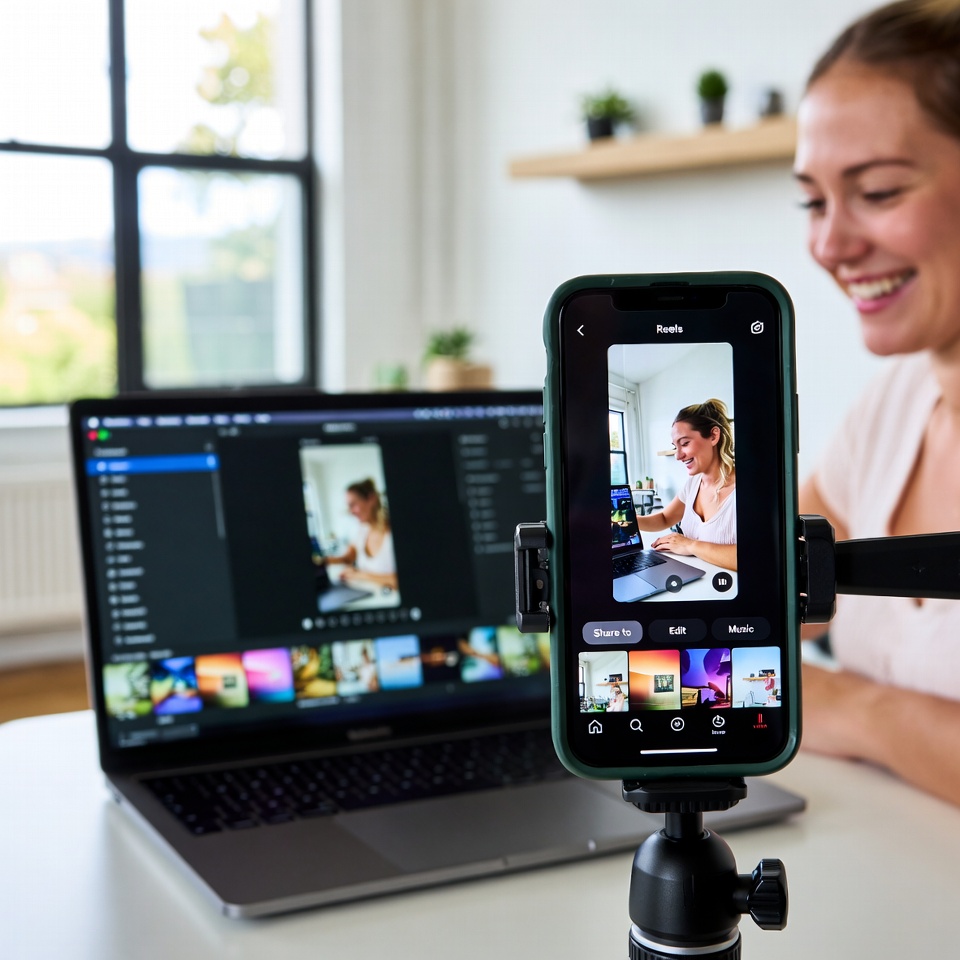
AI video for small business is no longer a futuristic concept — it’s the most accessible content creation tool available in 2026. If you’ve been watching competitors pump out Instagram Reels and TikToks while you struggle to find the time, budget, or skills to create video content, AI just leveled the playing field. Today’s tools let you go from a simple text prompt to a polished, scroll-stopping video in minutes — no camera crew, no editing experience, and no massive budget required.
Here’s a complete step-by-step guide to creating professional short-form videos for your business using AI tools that are available right now.
Why Short-Form Video Matters for Your Business in 2026
Short-form video isn’t a trend — it’s how people discover businesses today. Instagram Reels and TikTok are the fastest-growing content channels on the planet, and the algorithm rewards businesses that post consistently with massive organic reach. According to LocaliQ’s 2026 Small Business Marketing Trends Report, 53% of small businesses plan to invest more in video marketing and advertising this year — the highest of any marketing category surveyed.
The problem has always been production. Filming, editing, adding captions, choosing music, and formatting for vertical — it all takes time that most business owners don’t have. That’s exactly where AI video tools change everything.
AI Video Small Business Tools: What’s Available Right Now
The AI video landscape has matured rapidly. According to Zapier’s 2026 roundup of the best AI video generators, tools now range from simple text-to-video platforms to full creative suites with avatars, voiceovers, and automated editing. Here are the best options for small businesses creating Reels and TikToks:
- InVideo AI — Type a prompt describing the video you want, and InVideo generates a complete video with stock footage, transitions, music, and captions. Free tier available. Best for businesses just getting started.
- CapCut — TikTok’s own editing app with built-in AI features including auto-captions, background removal, and trending templates. Free and incredibly intuitive.
- Canva Video — If you already use Canva for graphics, their video editor feels natural. Drag-and-drop templates sized for Reels and TikTok with AI text-to-video features.
- HeyGen — Creates AI avatar videos where a realistic digital presenter delivers your script. Great for businesses that want a spokesperson without being on camera.
- Lumen5 — Turns blog posts and written content into video automatically. Perfect for repurposing your existing content into short-form video.
Most of these tools offer free plans or trials, so you can experiment before spending a dollar.
Step-by-Step: Creating Your First AI-Powered Reel or TikTok
Here’s the exact process to go from zero to a published video using AI tools. Follow these steps and you can have your first Reel or TikTok live today.
Step 1: Choose Your Topic
Pick a topic your target audience cares about. Think about the questions your customers ask most often. A roofing company might create “3 Signs You Need a New Roof This Spring.” A med spa could do “What’s the Difference Between Botox and Filler?” Keep it simple, specific, and helpful.
Step 2: Write a Quick Script or Prompt
You don’t need a Hollywood screenplay. Write 3–5 sentences that deliver value quickly. If you’re using a tool like InVideo AI, you can simply type a prompt like: “Create a 30-second vertical video about 3 signs a homeowner needs a new roof, with upbeat music and captions.” The AI does the rest.
Step 3: Generate the Video
Paste your script or prompt into your chosen AI tool. Most platforms generate a complete draft in under two minutes — including stock footage, text overlays, transitions, and background music. Review the draft and make any quick edits.
Step 4: Add Captions
This is non-negotiable. Over 80% of short-form video is watched without sound. Tools like CapCut and InVideo add captions automatically. Make sure they’re large, readable, and positioned where they won’t be covered by the platform’s interface buttons.
Step 5: Add Your Branding
Drop in your logo, use your brand colors in text overlays, and end with a clear call to action — your phone number, website, or “Link in bio.” Consistency builds recognition over time.
Step 6: Export in Vertical Format
Always export at 9:16 aspect ratio (1080×1920 pixels) for Reels and TikTok. Most AI tools have this preset built in. Export at the highest quality available.
Step 7: Post and Optimize
Upload to Instagram Reels and TikTok. Write a caption with relevant keywords and hashtags. Post during peak hours for your audience — typically late morning or early evening. Then repurpose the same video to Facebook Reels, YouTube Shorts, and LinkedIn.
Content Ideas That Work for AI Video Small Business Marketing
Not sure what to create? Here are proven content formats that perform well for small businesses on Reels and TikTok:
- Before and after — Show your work. Transformations grab attention instantly.
- Quick tips — Share one actionable piece of advice related to your industry.
- Behind the scenes — Show your team at work, your process, or how your product is made.
- Myth busting — “You DON’T need to [common misconception]” hooks are scroll-stoppers.
- Customer testimonials — Use AI to animate a written review into a polished video with text and music.
- Day in the life — People love seeing what running a business actually looks like.
- Trending audio + your expertise — Pair trending sounds with your industry knowledge for algorithm-friendly content.
Aim to post 3–5 Reels or TikToks per week. AI makes this realistic even for a one-person operation.
Mistakes to Avoid When Using AI for Video
AI video tools are powerful, but they’re not magic. Avoid these common pitfalls:
Don’t publish without reviewing. AI-generated videos sometimes include awkward transitions, mismatched footage, or caption errors. Always watch the full video before posting.
Don’t sound generic. The biggest risk with AI content is sounding like everyone else. Add your personality, your voice, and your unique perspective. Edit the AI’s output to sound like you, not like a robot.
Don’t skip the hook. You have less than two seconds to stop someone from scrolling. Start every video with a bold statement, surprising fact, or visual that demands attention. AI can generate the body of your video, but your hook should come from you.
Don’t ignore analytics. Track which videos get the most views, shares, and profile visits. Double down on what works and stop creating what doesn’t. Both Instagram and TikTok provide free analytics for business accounts.
How Video Fits Into Your Bigger Digital Marketing Strategy
Short-form video is powerful on its own, but it’s even more effective when it’s part of a larger social media strategy. Your Reels and TikToks should drive traffic to your website, support your search engine optimization by keeping your brand visible across platforms, and complement your paid advertising campaigns by warming up audiences who later see your ads.
The businesses that win on social media in 2026 aren’t the ones creating the most content — they’re the ones creating the most strategic content. AI handles the production. You bring the strategy.
Start Creating AI Video for Your Small Business Today
There has never been a lower barrier to entry for professional video content. The tools are free or affordable. The platforms are rewarding businesses that show up consistently. And your competitors are already figuring this out.
AI video for small business isn’t a nice-to-have anymore — it’s how you stay visible, build trust, and drive real customers to your door in 2026.
Need help building a video and social media strategy that drives real results? Universally Found has been helping businesses grow for over 10 years as a Google Partner. We manage social media, Google Ads, SEO, and websites for businesses ready to grow. Schedule your free audit or call us today at (234) 254-2578.